Emergency identification, SOS, contacts, medical information and family profiles — plus the everyday features that keep you opening the app. Here is the whole product, capability by capability.
Scroll once and watch the app change beside you. Safety first, then the everyday features that keep the profile current.
MATCH FOUNDRegistered VerifyU profile
Children info
R
Dependant
Riya
Daughter
Guardian
Prakhar Pathak
Listed as the contact for this child
Add another dependant
Children’s details are added during registration. Demo data.
HomeRechargeStepsSettings
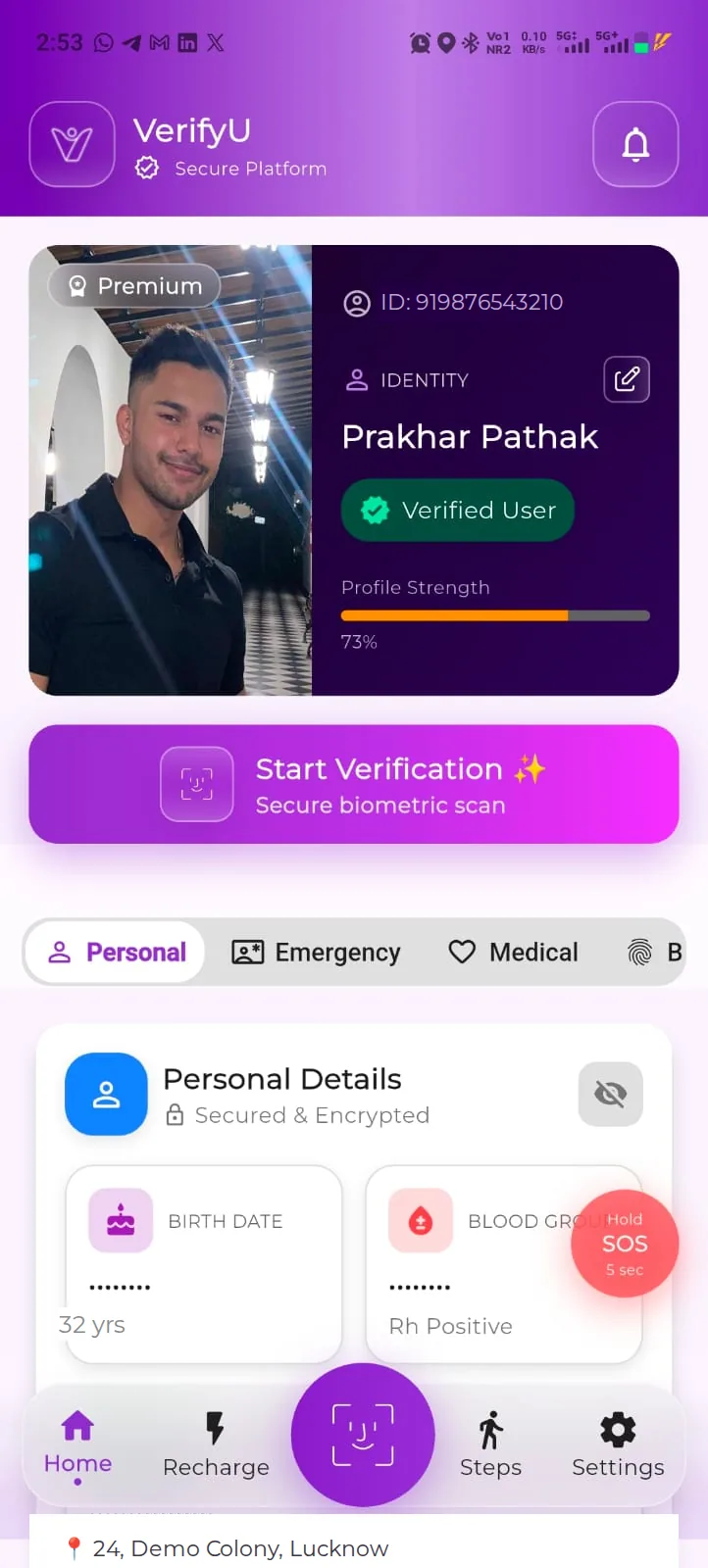
01Start hereYour profile
One profile, built for the worst day.
Everything in VerifyU sits on one registered profile: who you are, what a helper should know, and who to call. You fill it in once and keep it current.
Free to register on Android and iPhone in India
Personal, Emergency, Medical, Biometric and Children Info all live on one dashboard
Built safety-first — the everyday features come second
02EmergencyFace identification
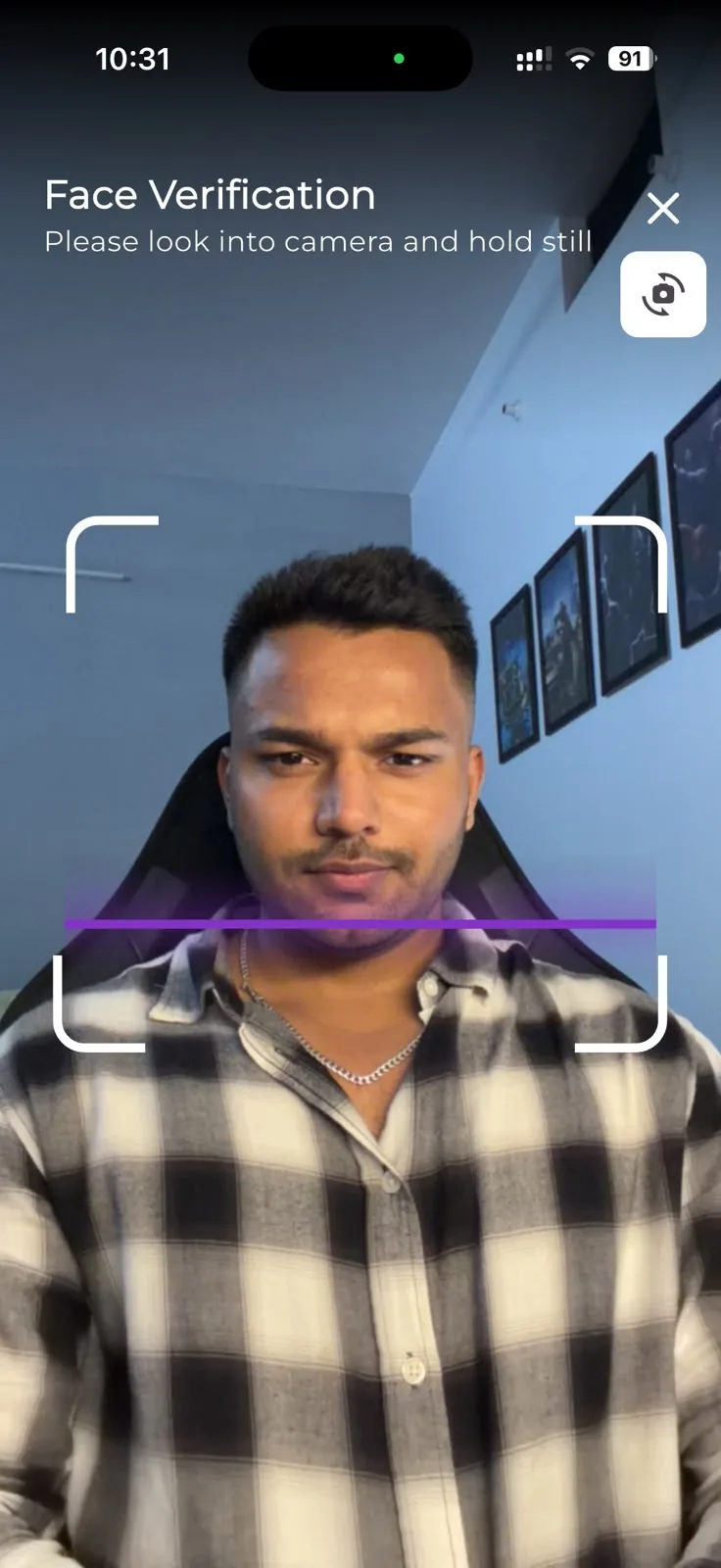
Your face is the key to your profile.
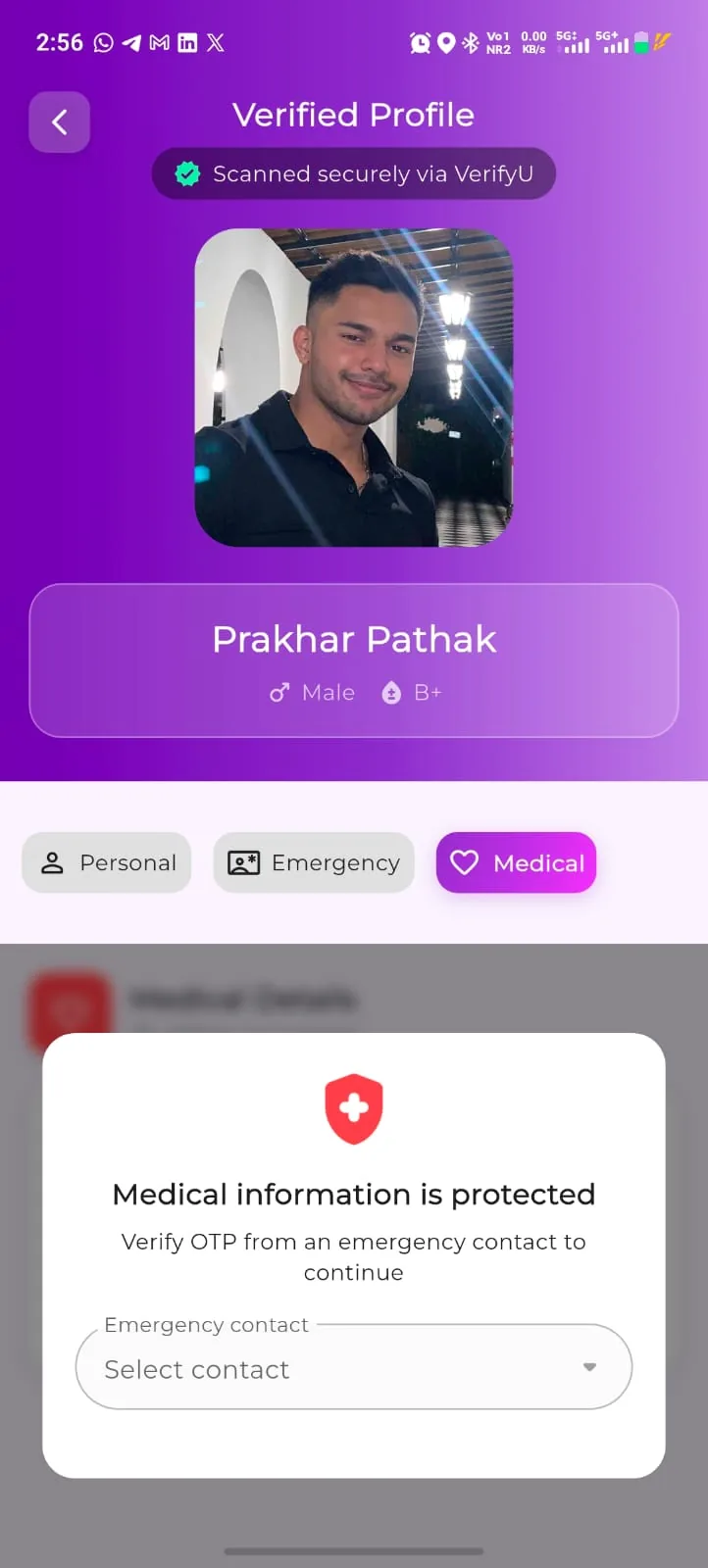
A VerifyU user with scanning access can check a face against registered profiles. When a match is returned, the person stops being “unidentified” and becomes someone with a name and people who can be called.
No card, wallet or phone needed from the person being identified
A match opens a Verified Profile — “Scanned securely via VerifyU” — with photo, name, gender and blood group
Matching requires prior registration, a suitable image and connectivity
03SOSGeneral SOS
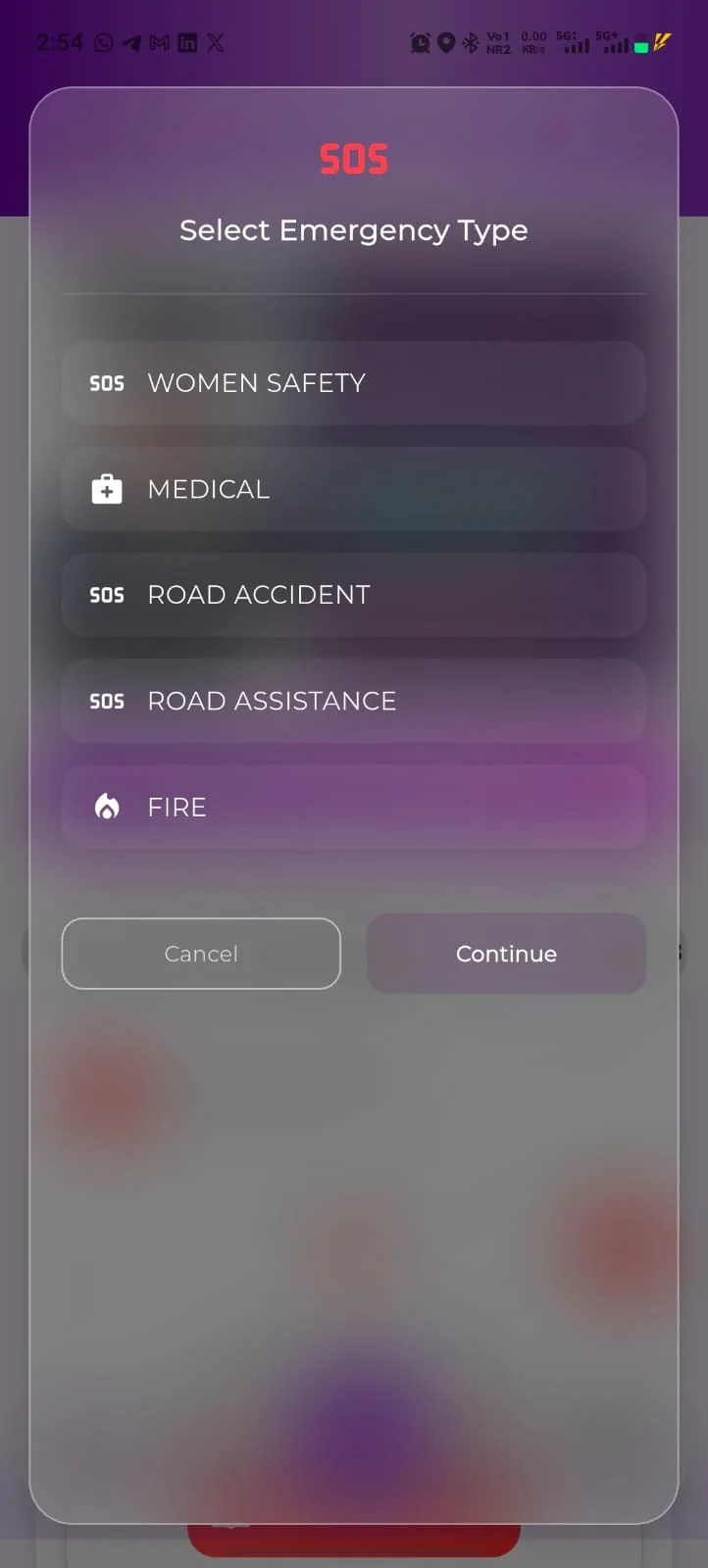
Five emergency types. One alert flow.
Hold the SOS button for five seconds, pick the emergency type that matches the situation and continue, so the people you listed know something is wrong.
Women Safety, Medical, Road Accident, Road Assistance and Fire
Raised from the “Hold SOS 5 sec” button that floats above the app
Alerts depend on connectivity, app permissions and your contacts taking action
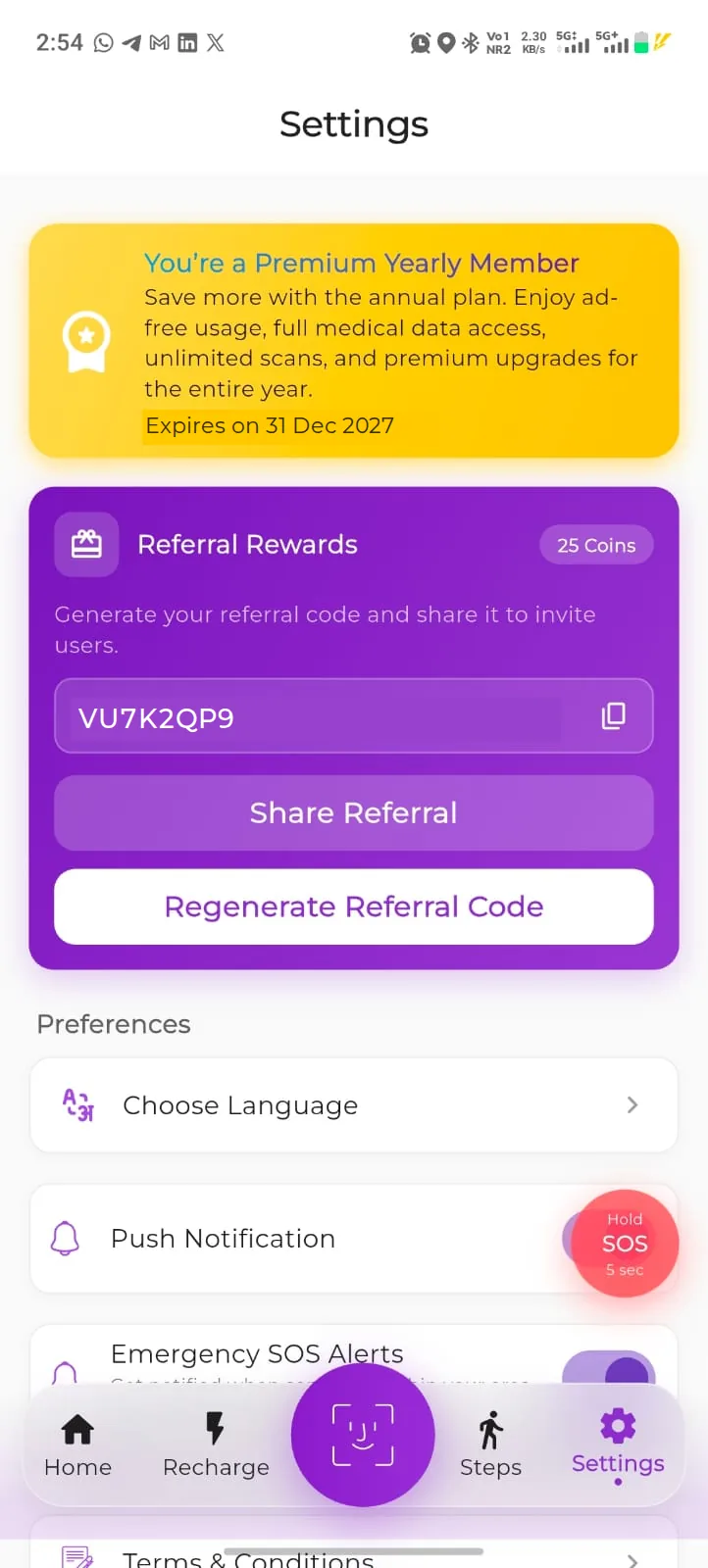
Emergency SOS Alerts sit with your other preferences in Settings
04EmergencyEmergency contacts
Two people who should hear first.
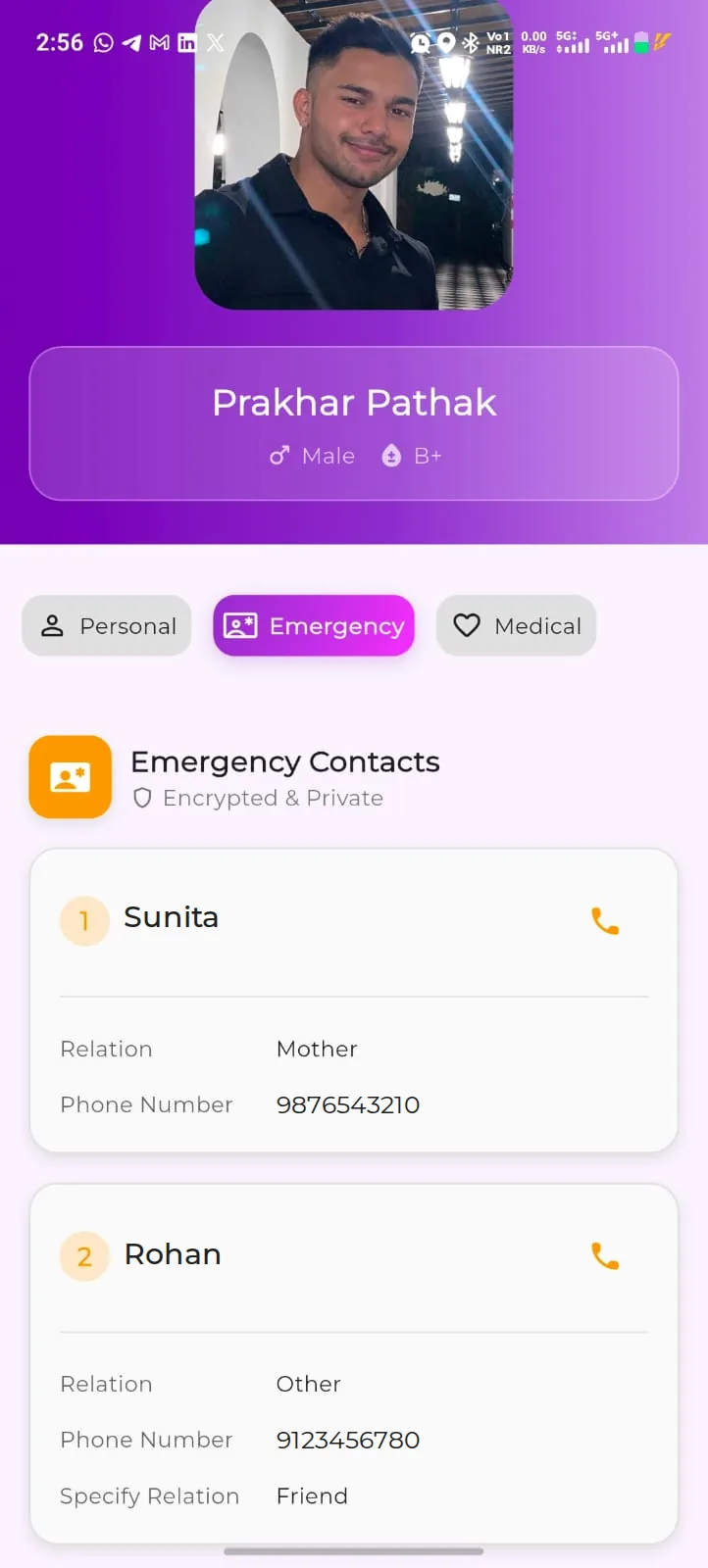
Registration asks for two trusted contacts with their relation and number. They are who a helper is pointed to after a match — and who your SOS is aimed at.
Two contacts, each with a name, relation and phone number
Shown on the Emergency tab, labelled “Encrypted & Private”, with a call button beside each one
Edit them whenever your circumstances change
05EmergencyMedical profile
The details that help someone help you.
Blood group, relevant history and notes stay with your profile instead of in a wallet. What a helper needs first is visible; the rest stays locked until someone who knows you says yes.
Your blood group sits on the verified-profile header, next to your name and gender
Medical Details are protected: a helper has to verify an OTP from one of your emergency contacts to open them
Blood group, medical history and notes are yours to record and edit
06FamilyChildren info
Register the people who can’t explain themselves.
Children and dependants can be added to your profile during registration, so a child who cannot give a phone number is still connected to the adult who should be called.
Children Info is one of the tabs on your dashboard
Your name and number travel with your dependant’s record
How a dependant’s record can be looked up by a helper depends on the app version and access flow Owner verification
07Every daySteps
A reason to open VerifyU on an ordinary day.
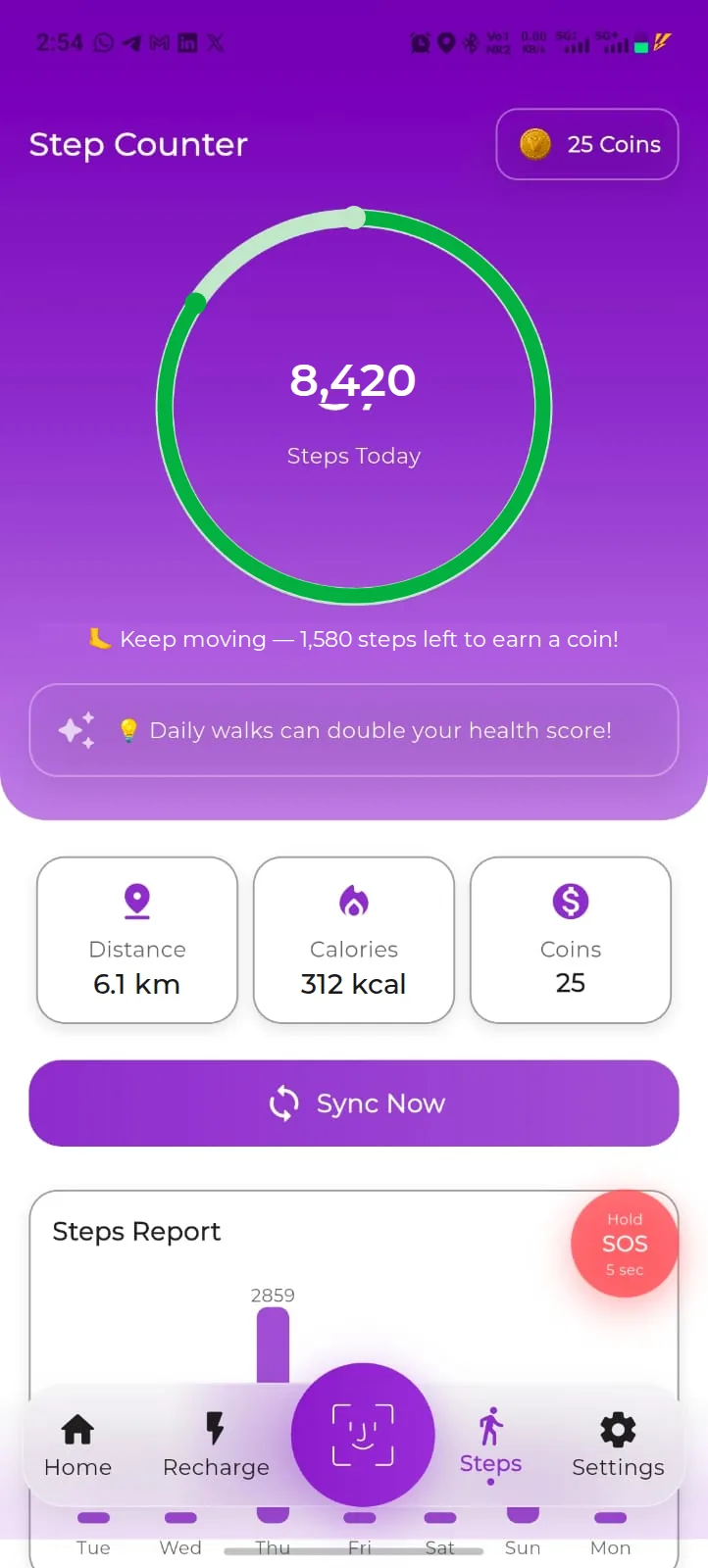
The Step Counter counts your daily walking and syncs on demand. It exists for a practical reason: an app you open is an app whose profile stays current.
Steps today, distance, calories and your coin balance on one screen
Sync Now brings the latest count into VerifyU, and a weekly Steps Report shows the last seven days
Rewards are subject to eligibility and the rewards terms
08RewardsVerifyU Coins
Walk, earn coins, keep the habit.
The Step Counter counts down the steps left to earn a coin, and your balance follows you into Settings and the recharge screen. Coins can be put towards everyday bills.
10,000 steps on an eligible day = 5 VerifyU Coins (current offer)
Your balance shows on the Step Counter, in Settings and at payment
Coins have no cash value and are not a currency or an investment
09Every dayRecharge & Utilities
Spend coins on bills you were paying anyway.
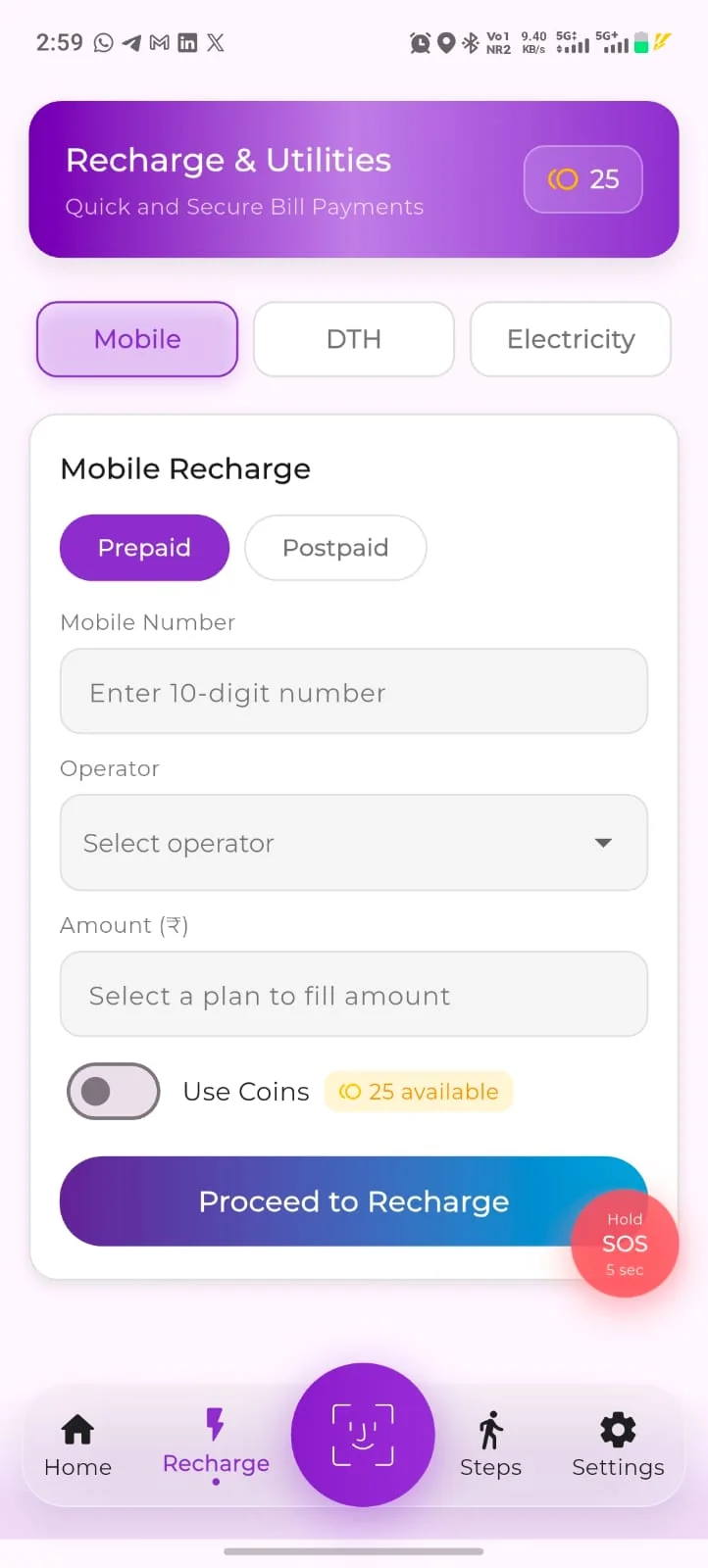
Recharge & Utilities covers mobile prepaid and postpaid, DTH and electricity, with a Use Coins option at payment so eligible coins reduce what you pay.
Mobile prepaid, mobile postpaid, DTH and electricity
Use Coins at payment where the option is available
Availability depends on the operator, the app version and applicable terms
10GrowReferral rewards
The more people registered, the better this works.
Referral Rewards in Settings lets you generate a code and share it. Every extra registered person makes a match more likely for someone in your circle.
Generate your code in Settings → Referral Rewards, then Share Referral
Regenerate Referral Code issues a fresh one whenever you want
What a referral earns, and when, is described in the app and the rewards terms Owner verification
Registration stays free for the people you invite
All of it from one registration.
Registration is free. Premium adds a few things on top — the comparison is below.
Everything you need to be identifiable and reachable in an emergency.
Registered profile with photo and face verification
Two emergency contacts
Medical information, including blood group
SOS with all five emergency types
Children and dependant details
Steps tracker, VerifyU Coins and Recharge & Utilities, subject to eligibility
Referral Rewards in Settings
Premium · ₹99 / month · ₹999 / year
More verification, fewer limits
For people who use identification often, and for families who want the fuller medical layer.
Unlimited scans — unlimited face verifications from your account
Full medical data access
Ad-free usage
Premium upgrades for the year, on the yearly plan
Free-plan limits on face verification and scanning access are set in the app Exact free limit
Yearly works out at ₹999 against ₹1,188 for twelve monthly payments — a saving of about 16%.
Plan names, inclusions, final pricing, taxes and renewal terms are confirmed in the app at purchase. Feature availability depends on your app version, permissions and applicable terms.
Get VerifyU
One registration. Every capability above.
Register yourself, then the people who would struggle to speak for themselves.