Register once.
Be reachable when it matters.
Registration takes one sitting: your number, your photo, two people you trust and the medical details a responder would want. After that, your face is the way back to all of it.
Watch the full registration guide.
One minute, seven chapters, recorded in the app. Jump to any chapter — the video follows.
Registration guide · 1:01
Chapters
- 01
- 02
- 03
- 04
- 05
- 06
- 07
Before you begin
Five things within reach and registration goes through in one attempt.
- The phone with your own mobile number in it, for the OTP
- A clear, recent photo of your face
- Two trusted contacts — names, relationships and numbers
- Your blood group and any medical information worth recording
- Good light and a plain background for face verification
How emergency identification works.
Three steps, and a short list of things they depend on. We would rather be plain about both.
Register
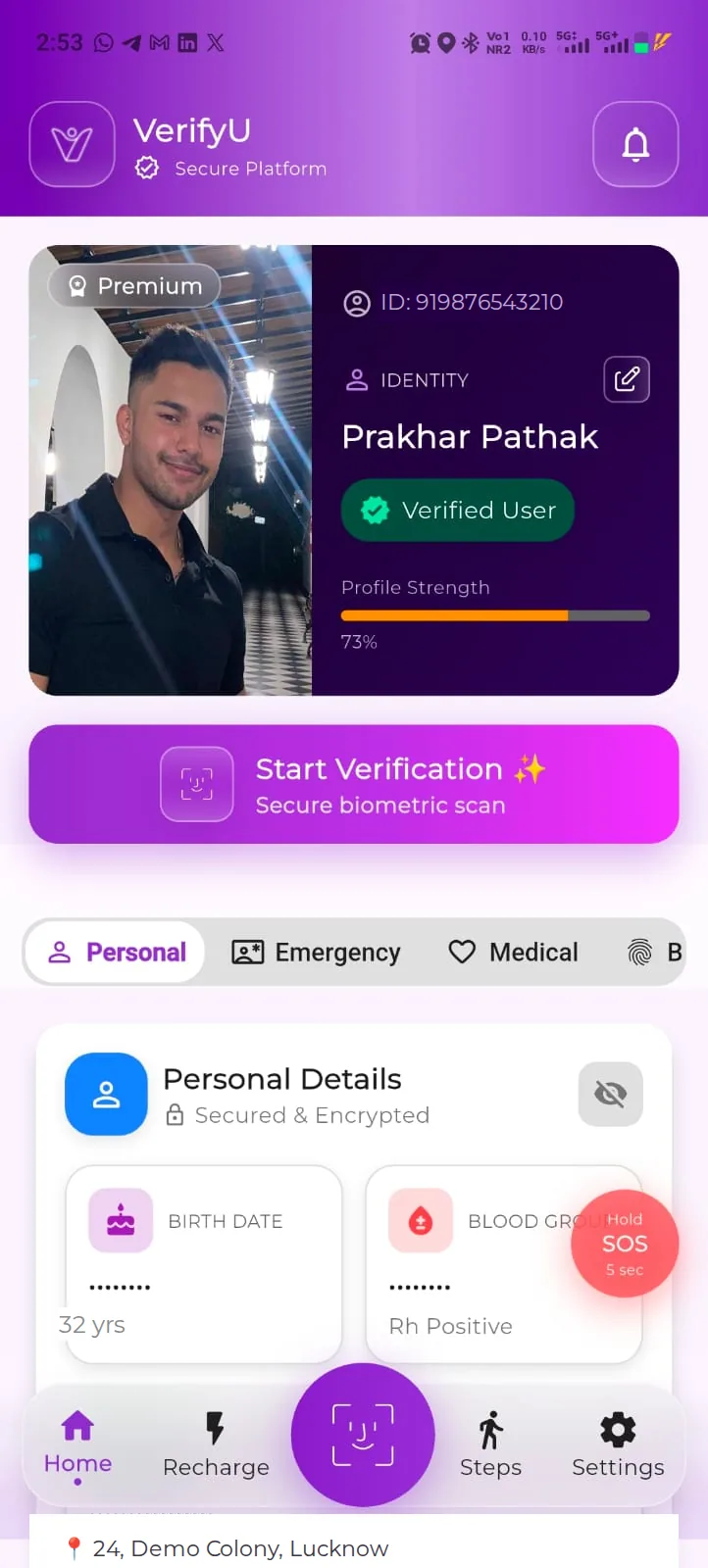
You complete registration and face verification. Your profile now holds your identity, your emergency information and two contacts — and it stays yours to edit.
Match
Someone with VerifyU scanning access opens the scanner. The image is checked against registered profiles, and a match can return the profile behind that face.
Connect
The helper sees the emergency-relevant information you chose to share and can reach your next of kin through the permitted VerifyU workflow. You are notified that your profile was accessed.
A verified profile, not a file.
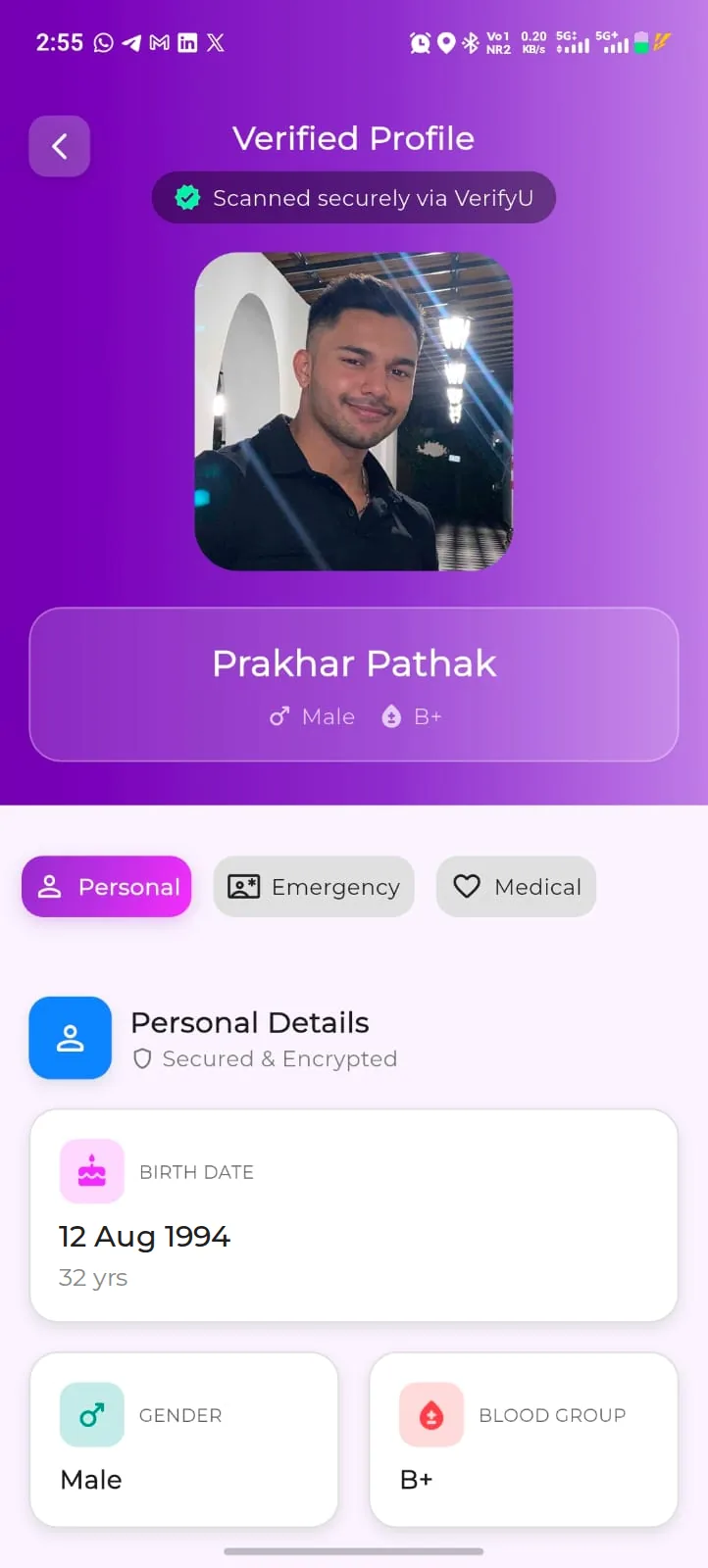
A successful scan opens a Verified Profile marked “Scanned securely via VerifyU”: your photo, your name, your gender and your blood group, with Personal, Emergency and Medical tabs behind it.
- Emergency. Your two contacts with their relation and number, each with a call button, labelled “Encrypted & Private”.
- Medical. Protected. The helper is asked to verify an OTP from one of your emergency contacts before medical details open.
- You are told. The registered user is notified in the app when their profile is accessed.
What all of that depends on
- A registered profile. Face matching only works against people who have registered and completed face verification.
- A successful match. Image quality, lighting, angle and how much a face has changed all affect whether a match is returned.
- Connectivity. The scan, the match and the contact workflow all need a working data connection on the helper’s phone.
- Relevant access. The helper must be a VerifyU user with scanning access; what they can see depends on your settings, the plan and the app version.
VerifyU supports identification and communication. It does not replace emergency services, and it does not guarantee identification, assistance or any response time.
Straight answers.
A few minutes now.
For a day you can’t plan for.
Register yourself. Then sit with your parents and register them too.
I hope I never need this. But I should have it.